
Your first impression shouldn't be a clipboard.
An iPad handles patient check-in while your team focuses on everything else. Software agnostic. Works with the practice software you already run, including ModMed, EZDERM, eClinicalWorks, AdvancedMD, and more.
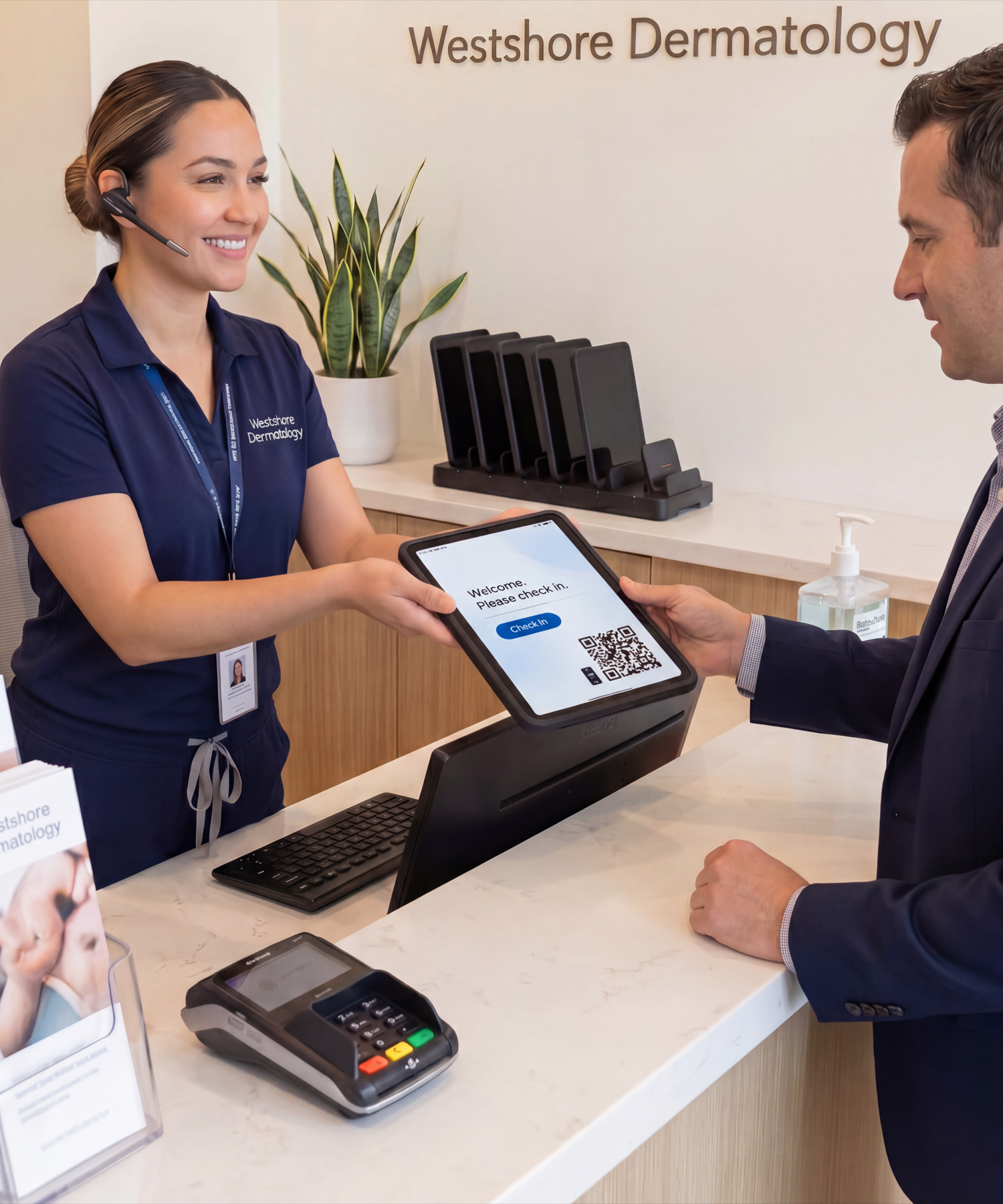
CONNECT Case & MultiDock 6
Grab one, hand it over. The fleet stays charged.
Works with the practice software you already run
From dermatology practice owners.
Patients used to fill out the same forms they had already done online. Now the iPad handles check-in at the front and the information flows straight into our system. Setup took minutes and it has run every day since.
Office Manager · Independent Dermatology, Scottsdale AZ
We tried a loose tablet once and it lived in a drawer within a week. This one is mounted at the desk, charges on contact, and has not moved since. Patients check themselves in and the front desk can breathe.
Dermatologist · Skin & Laser Center, Charlotte NC
Our front desk was re-typing every new patient into our practice software. That time is back. Intake comes in clean, the team is calmer, and patients like doing it on the iPad.
Practice Administrator · Dermatology Group, Columbus OH
Twenty minutes of retyping every new patient — paid for twice.
Your front desk is the first impression. And it's still running on clipboards, Bic pens, and a stack of intake forms.
Patients fill them out wrong. Your team can't read the handwriting. Then someone retypes it all — the same work, done twice.
The IPORT front-desk setup ends that cycle. A mounted, magnetic-charging iPad runs intake straight into your practice software — as polished as the chain down the street.
Pick the one that fits your front desk.
Not sure which? Tell us about your practice in the form below and we'll recommend the right setup for your needs.
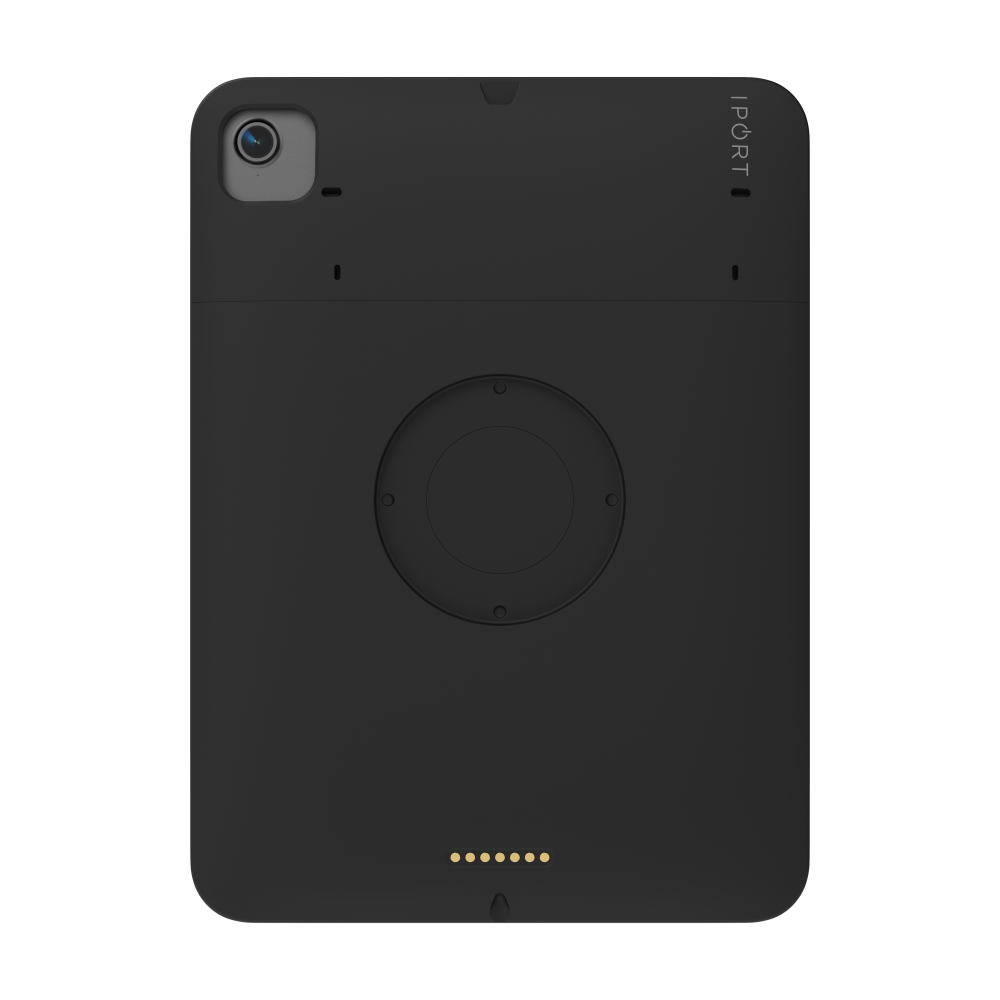
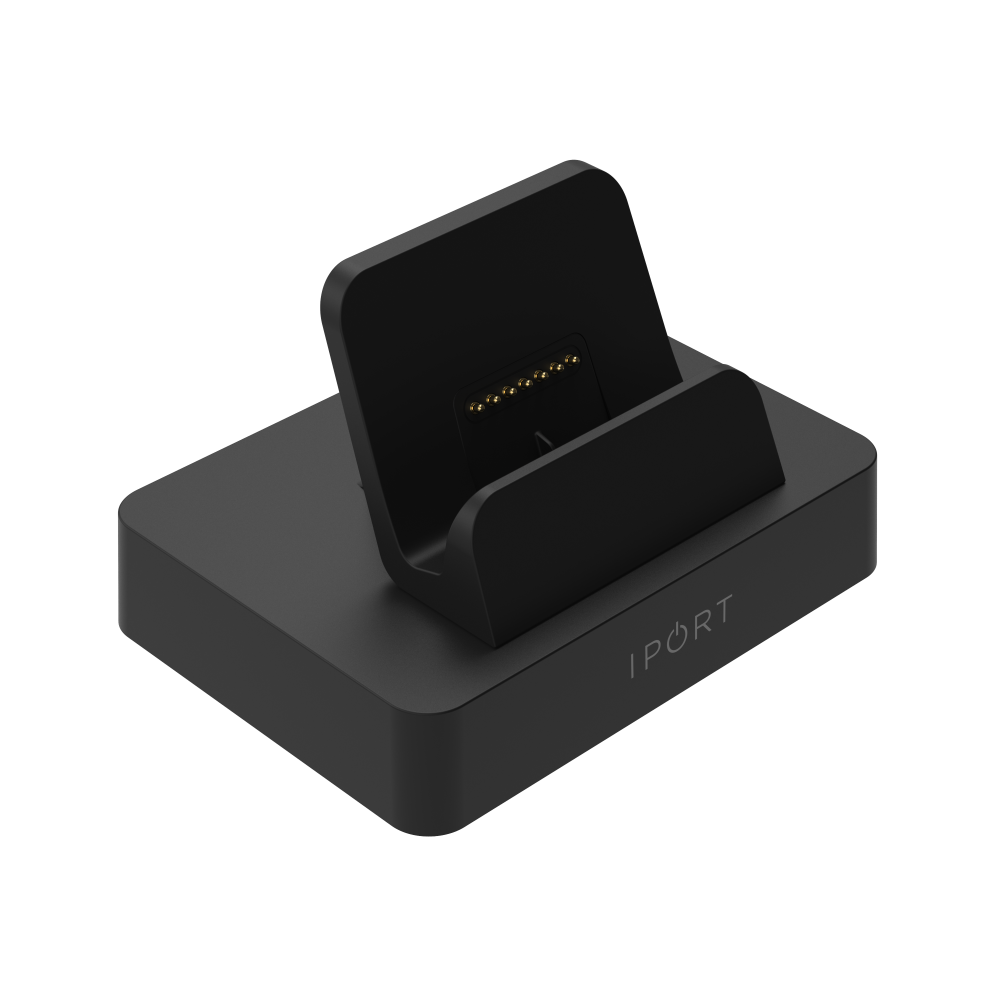
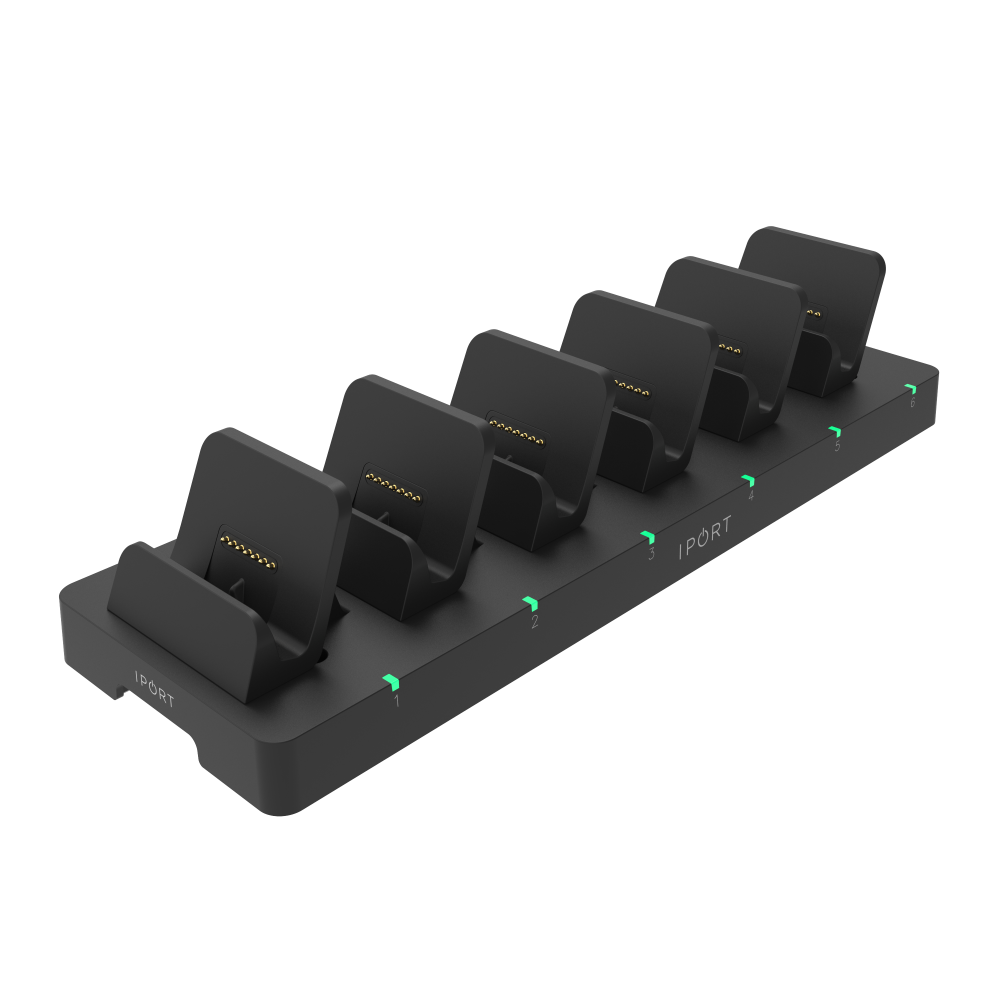
CONNECT Case + Dock or MultiDock
Counter-sitting magnetic dock — nothing to mount
Pricing starts at just $300.
- Drop the iPad into the Dock between appointments — charging starts instantly, no cables, no clutter.
- PD fast charging: 50% in just 30 minutes — iPads stay ready through a full patient schedule.
- The MultiDock charges up to 6 iPads at once, independently — every device ready at your front desk.
- LED charge indicators show status at a glance — staff always knows which iPad is ready.
- Slim, rugged case stays light enough to carry room to room between dock stops.
We'll confirm fit and send a quote — no obligation.
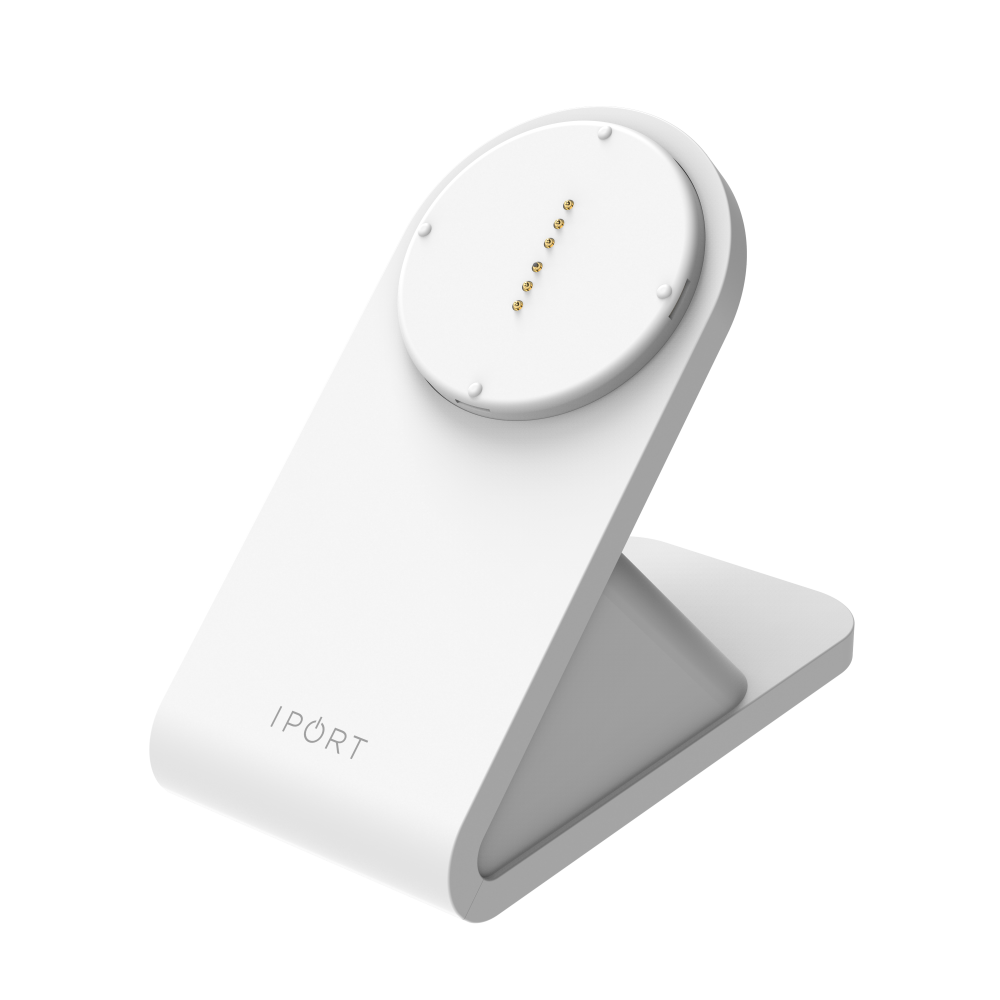
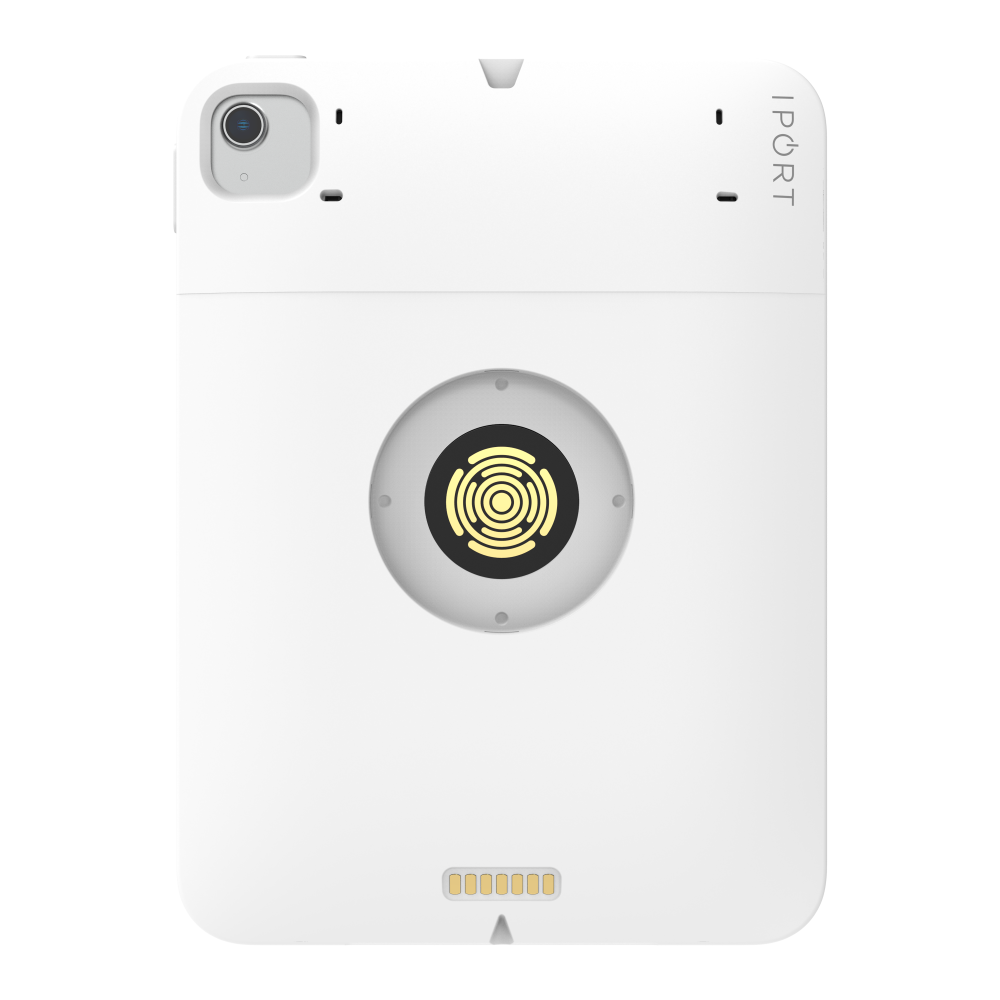
CONNECT PRO Case + BaseStation
Mounted pedestal — white or black finish
Pricing starts at just $600.
- Snap the iPad onto the BaseStation between patients — it charges immediately, no cables to manage at the front desk.
- Wireless charging at a fixed angle — always upright, always readable for patients checking in.
- Portrait or landscape — mount whichever way suits your counter layout.
- Lift off for patient signature, snap back to charge — a clean handoff every time.
- Case drop-tested to 2 meters — survives the bumps of a busy reception desk.
Tell us about your practice and we'll send a quote.
| Feature | CONNECT Case + Dock or MultiDock | CONNECT PRO Case + BaseStation |
|---|---|---|
| Starting price | From $300 | From $600 |
| Best for | Shared iPads across the front desk, staff, or rooms | Fixed front-desk check-in station |
| Mounting style | Counter-sitting dock — no installation | Magnetic base — always in place |
| Charging | PD fast charge — 50% in 30 min | Wireless magnetic — snap on, charges on contact |
| iPads supported | 1 per Dock · up to 6 with MultiDock | 1 per BaseStation |
| Patient sign-on-glass | Yes — hand to patient, return to dock | Yes — lift off, sign, snap back |
| Portrait + landscape | — | Yes |
| Case drop-rated | 2 m | 2 m |
| Disinfection safe | Yes — hospital-grade cleaners | Yes — hospital-grade cleaners |
| Works with existing software | Yes — any iPad-compatible app | Yes — any iPad-compatible app |
Works with the software your practice already uses.
Compatible with ModMed, EZDERM, eClinicalWorks, AdvancedMD, and more. It's just an iPad running the software you already use.
Designed for independent practices — same enterprise-grade hardware that runs in healthcare at scale, sized for an independent front desk.
Built for daily clinical use. No IT department required.
Drop-tested to 2 meters
Both case lines withstand drops up to 2 m — built for high-use environments where things get bumped, handed around, and knocked off counters.
Built so adoption sticks
A dedicated home for every iPad. Always charged, no missing cables, with fast charging that reaches 50% in just 30 minutes.
Daily disinfection safe
Wipe it down with hospital-grade cleaners between every patient. The case surface and charging contacts won't degrade over time.
No IT department needed
If you can plug in a power cord and snap a case onto a magnetic base, you can install this. Most front-desk setups are running in under 30 minutes.
Questions, answered.
Let's spec your front-desk setup.
Tell us about your practice and we'll send pricing and the right setup recommendation — usually within one business day.
- Pricing includes everything — hardware, case, and shipping.
- No obligation. No configurator. Just a quote.
- IPORT's healthcare team only — we don't share your info.
What happens next
Send the form — it takes about a minute.
IPORT's healthcare team replies with exact pricing and a recommended setup — usually within one business day.
You're typically live within about a week of your order. Installs take under 30 minutes — no IT visit required.
Patients used to fill out the same forms they had already done online. Now the iPad handles check-in at the front and the information flows straight into our system. Setup took minutes and it has run every day since.
Prefer to talk it through? Call 949.226.5222.
Thanks, there.
IPORT's healthcare team will reach out shortly. Watch for an email from @iport.io.